How to Redeem CUPHEAD Fight Codes
Be ready the moment the first verified promo codes go live.
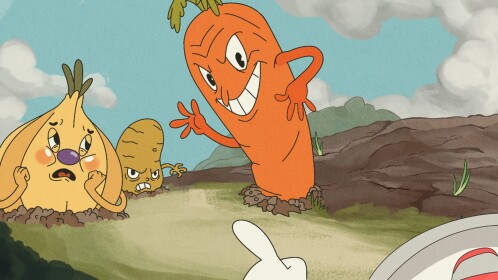
This guide explains how to redeem codes in (CO-OP) CUPHEAD Fight! once the developer enables an in-experience redeem panel. As of our research, no verified public codes exist yet—see the Codes Hub for live status—but redemption UX on Roblox boss-rush places follows familiar patterns. Learn the flow now so you do not fumble during a limited drop.
Before you redeem anything
- Confirm you are in the real place: Place ID 89975768879199, creator Sunny_Verified, via Official Links.
- Update Roblox and relaunch so UI elements load correctly.
- Finish any forced tutorial prompts so HUD buttons are not blocked.
- Keep a notepad of codes you already tried to avoid “already redeemed” confusion later.
Expected redemption steps
Exact button labels can change, but the usual path is:
- Join CUPHEAD Fight from the official experience page.
- Look for a Codes, Twitter, Gift, or Shop style button on the HUD or pause menu.
- Open the text field and paste the code carefully—Roblox codes are often case-sensitive.
- Confirm and wait for a success toast or inventory popup.
- Check cosmetics/currency inventories before assuming failure; some rewards apply silently.
If no redeem button exists yet, codes are simply not enabled. Do not download third-party “auto redeemers.”
Troubleshooting failed codes
| Symptom | Likely cause | What to try |
|---|---|---|
| Invalid code | Typo, expired, or wrong game | Recheck spelling; confirm it targets this place |
| Already redeemed | Prior success on this account | Try an alt only if rules allow; do not share accounts |
| No button | Feature not shipped | Wait for patch notes on Updates |
| Success but no item | UI lag / wrong inventory tab | Rejoin server; scan all bags |
| Kick / error spam | Client desync | Soft rejoin; avoid script injectors |
Safety rules while redeeming
- Never type codes into unofficial websites that ask you to log in.
- Never pass your cookie to a “code bot.”
- Ignore Discord DMs selling “private Cuphead Roblox codes.”
- Cross-check new strings against the Codes Hub once we verify them.
Script-based redeemers are covered under Safe Script Usage—assume they are unsafe.
How codes interact with progression
Codes will not teach you to dodge. After claiming a reward, return to practice:
- Warm up with Controls
- Study a target fight in Boss Patterns
- Track clears on the Boss Checklist
- Plan difficulty order via Boss Difficulty
Think of codes as cosmetics and convenience layered on top of the co-op boss-rush fantasy.
Co-op etiquette around code drops
When a code drops mid-session, call a short pause so teammates can redeem without wiping a serious attempt. Large lobbies (the place supports up to 50 players) get noisy—step to a safe corner or lobby area if the UI requires stillness.
After a successful redeem
- Screenshot the success message for your records.
- Note the reward on a personal list.
- Report dead codes politely in community spaces only after double-checking expiry.
- Recheck Updates and Roadmap in case the code ties to a new ability or boss pack event.
Fan-made reminder
CUPHEAD Fight is an unofficial Roblox recreation. Codes for Steam Cuphead, mobile ports, or unrelated “Cuphead” experiences will not work here. Only strings issued for Sunny_Verified’s place apply.
Quick checklist
- Real place ID verified
- Redeem UI located
- Code pasted without extra spaces
- Inventory checked after success toast
- Return to Codes Hub for the maintained Active/Expired tables
Stay patient until the first official strings appear. When they do, this page plus the hub should get you from announce to inventory in under a minute—without phishing detours.
Frequently Asked Questions
Quick answers to the most common questions.
Why can’t I find a Codes button?
Are codes case-sensitive?
Often yes on Roblox. Paste exactly as published and avoid adding spaces.
Can I redeem on a website?
No. Only use the in-experience UI. Websites asking for your Roblox login are scams.
Do I need Premium to redeem?
Usually not for promo codes, but any Premium-gated rewards will be noted on the Codes Hub when codes exist.
Where do I find working codes?
Only on the Codes Hub after verification. None are confirmed yet.